
반응형
UI를 제작하는 건 패스
Unity에서 Firebase 인증 시작하기
의견 보내기 Unity에서 Firebase 인증 시작하기 컬렉션을 사용해 정리하기 내 환경설정을 기준으로 콘텐츠를 저장하고 분류하세요. Firebase Authentication을 사용하면 사용자가 게임에 로그인할 때 이메
firebase.google.com
Firebase문서를 참고해서 구현했다.
기본적으로 로그인, 로그아웃, 회원가입을 중심으로 구현해보았다.
using System.Net.Mail;
using TMPro;
using UnityEngine;
using UnityEngine.UI;
using Firebase;
using Firebase.Auth;
using System;
using System.Threading.Tasks;
using Firebase.Extensions;


public class FirebaseController : MonoBehaviour
{
    public GameObject loginPanel, signupPanel, profilePanel, forgetPasswordPanel, notificationPanel;
    public TMP_InputField loginEmail, loginPassword, signupEmail, signupPassword, signupCPassword, signupUserName,forgetPassEmail;
    public TextMeshProUGUI notif_Title_text, notif_msg_txt,profile_UserName_Text,profile_Email_Text;
    public Toggle rememberme;
    Firebase.Auth.FirebaseAuth auth;
    Firebase.Auth.FirebaseUser user;
    bool isSiginIn = false;

    public void Start()
    {
        InitializeFirebase();
    }
    public void OpenLoginPanel()
    {
        loginPanel.SetActive(true);
        signupPanel.SetActive(false);
        profilePanel.SetActive(false);
        forgetPasswordPanel.SetActive(false);
    }

    public void OpenSignUpPanel()
    {
        loginPanel.SetActive(false);
        signupPanel.SetActive(true);
        profilePanel.SetActive(false);
        forgetPasswordPanel.SetActive(false);
    }
    public void OpenProfilePanel()
    {
        loginPanel.SetActive(false);
        signupPanel.SetActive(false);
        profilePanel.SetActive(true);
        forgetPasswordPanel.SetActive(false);
    }
    public void OpenForgetPassPanel()
    {
        loginPanel.SetActive(false);
        signupPanel.SetActive(false);
        profilePanel.SetActive(false);
        forgetPasswordPanel.SetActive(true);
    }

    public void LoginUser()
    {
        if(string.IsNullOrEmpty(loginEmail.text) && string.IsNullOrEmpty(loginPassword.text))
        {
            showNotificationMessage("Error", "Fields Empty! Please Input Details In All Fields");
            return;
        }

        //Do Login
        SignInUser(loginEmail.text,loginPassword.text);
    }

    public void SignUpUser()
    {
        if(string.IsNullOrEmpty(signupEmail.text) && string.IsNullOrEmpty(signupPassword.text) && string.IsNullOrEmpty(signupCPassword.text) && string.IsNullOrEmpty(signupUserName.text))
        {
            showNotificationMessage("Error", "Fields Empty! Please Input Details In All Fields");
            return;
        }

        // Do signUp
        CreateUser(signupEmail.text, signupPassword.text, signupUserName.text);
    }

    public void forgetPass()
    {
        if (string.IsNullOrEmpty(forgetPassEmail.text) )
        {
            showNotificationMessage("Error", "Fields Empty! Please Input Details In All Fields");
            return;
        }
    }

    private void showNotificationMessage(string title, string message)
    {
        notif_Title_text.text = "" + title;
        notif_msg_txt.text = "" + message;

        notificationPanel.SetActive(true);
    }

    public void CloseNotif_Panel()
    {
        notif_Title_text.text = "";
        notif_msg_txt.text = "";
        notificationPanel.SetActive(false);
    }

    public void LogOut()
    {
        auth.SignOut();
        profilePanel.SetActive(false);
        profile_UserName_Text.text = "";
        profile_Email_Text.text = "";
        OpenLoginPanel();
        isSiginIn = false;
        isSigned = false;
    }

    public void CreateUser(string email, string password, string Username)
    {
        auth.CreateUserWithEmailAndPasswordAsync(email, password).ContinueWithOnMainThread(task => {
            if (task.IsCanceled)
            {
                Debug.LogError("CreateUserWithEmailAndPasswordAsync was canceled.");
                return;
            }
            if (task.IsFaulted)
            {
                Debug.LogError("CreateUserWithEmailAndPasswordAsync encountered an error: " + task.Exception);
                IsValidPassword(password);
                return;
            }

            // Firebase user has been created.
            Firebase.Auth.AuthResult result = task.Result;
            Debug.LogFormat("Firebase user created successfully: {0} ({1})",
                result.User.DisplayName, result.User.UserId);
            UpdateUserProfile(Username);
        });


    }

    public void SignInUser(string email, string password )
    {
        auth.SignInWithEmailAndPasswordAsync(email, password).ContinueWithOnMainThread(task => {
            if (task.IsCanceled)
            {
                Debug.LogError("SignInWithEmailAndPasswordAsync was canceled.");
                return;
            }
            if (task.IsFaulted)
            {
                Debug.LogError("SignInWithEmailAndPasswordAsync encountered an error: " + task.Exception);
                return;
            }

            Firebase.Auth.AuthResult result = task.Result;
            Debug.LogFormat("User signed in successfully: {0} ({1})",
                result.User.DisplayName, result.User.UserId);
            profile_UserName_Text.text = "" + result.User.DisplayName;
            profile_Email_Text.text = "" + result.User.Email;
            OpenProfilePanel();
        });
    }

    void InitializeFirebase()
    {
        auth = Firebase.Auth.FirebaseAuth.DefaultInstance;
        auth.StateChanged += AuthStateChanged;
        AuthStateChanged(this, null);
    }

    void AuthStateChanged(object sender, System.EventArgs eventArgs)
    {
        if (auth.CurrentUser != user)
        {
            bool signedIn = user != auth.CurrentUser && auth.CurrentUser != null
                && auth.CurrentUser.IsValid();
            if (!signedIn && user != null)
            {
                Debug.Log("Signed out " + user.UserId);
            }
            user = auth.CurrentUser;
            if (signedIn)
            {
                Debug.Log("Signed in " + user.UserId);
                isSiginIn = true;
            }
        }
    }

    void OnDestroy()
    {
        auth.StateChanged -= AuthStateChanged;
        auth = null;
    }

    public void UpdateUserProfile(string userName)
    {
        Firebase.Auth.FirebaseUser user = auth.CurrentUser;
        if (user != null)
        {
            Firebase.Auth.UserProfile profile = new Firebase.Auth.UserProfile
            {
                DisplayName = userName,
                PhotoUrl = new System.Uri("https://dummyimage.com/150"),
            };
            user.UpdateUserProfileAsync(profile).ContinueWith(task => {
                if (task.IsCanceled)
                {
                    Debug.LogError("UpdateUserProfileAsync was canceled.");
                    return;
                }
                if (task.IsFaulted)
                {
                    Debug.LogError("UpdateUserProfileAsync encountered an error: " + task.Exception);
                    return;
                }

                Debug.Log("User profile updated successfully.");
                showNotificationMessage("Alert", "Account Successfully Created");
            });
        }
    }

    bool IsValidPassword(string password)
    {
        if (password.Length < 6)
        {
            Debug.LogError("비밀번호는 최소 6자 이상이어야 합니다.");
            showNotificationMessage("Password Failed","Please create a password with at least 6 characters.");
            return false;
        }

        // 추가 검증 (선택)
        // - 대문자, 소문자, 숫자 포함 등

        return true;
    }

    bool isSigned = false;
    private void Update()
    {
        if (isSiginIn)
        {

            if (!isSigned)
            {
                isSigned = true;
                profile_UserName_Text.text = "" + user.DisplayName;
                profile_Email_Text.text = "" + user.Email;
                OpenProfilePanel();
            }
        }
    }
}
UI가 좀 투박하긴 하네요;;
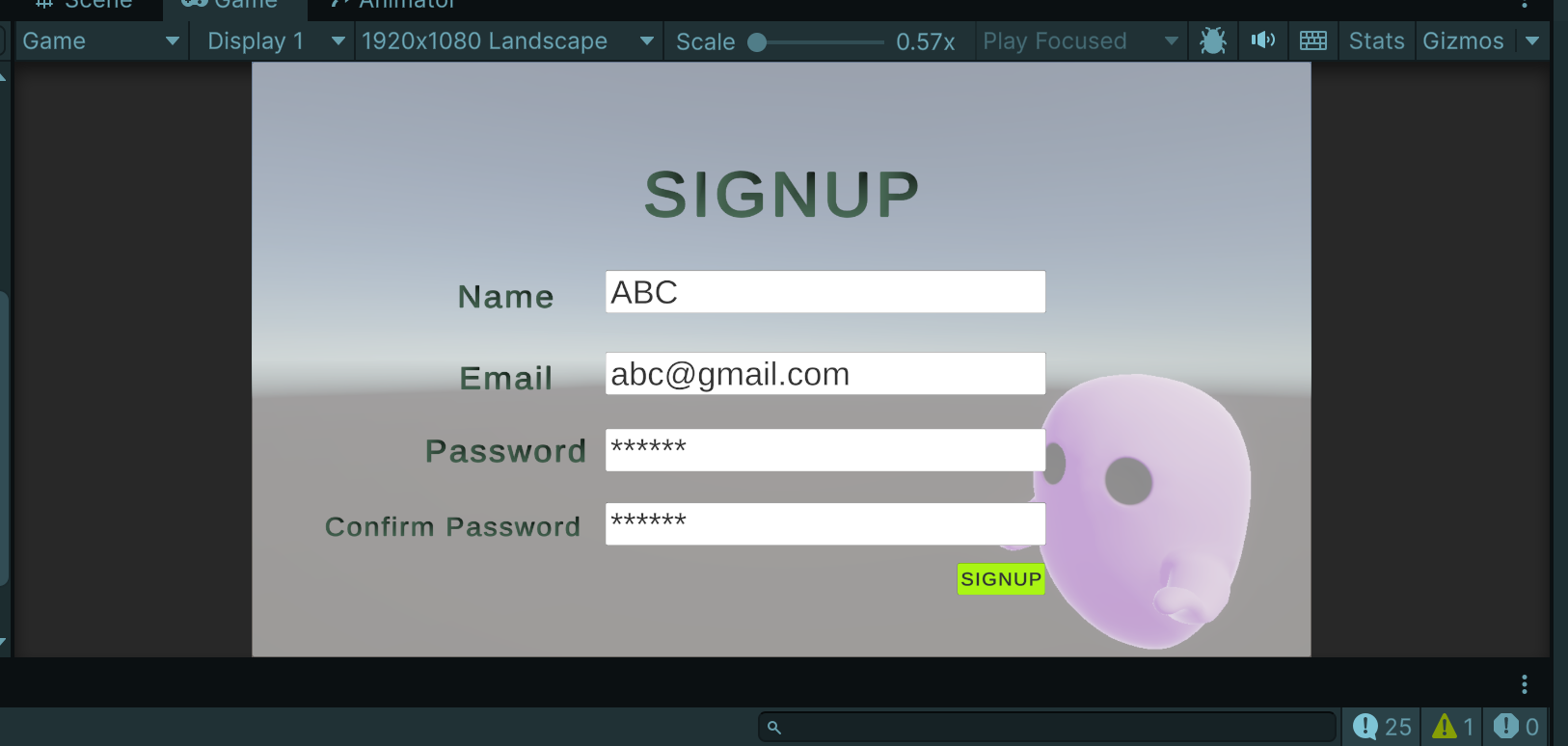
회원가입
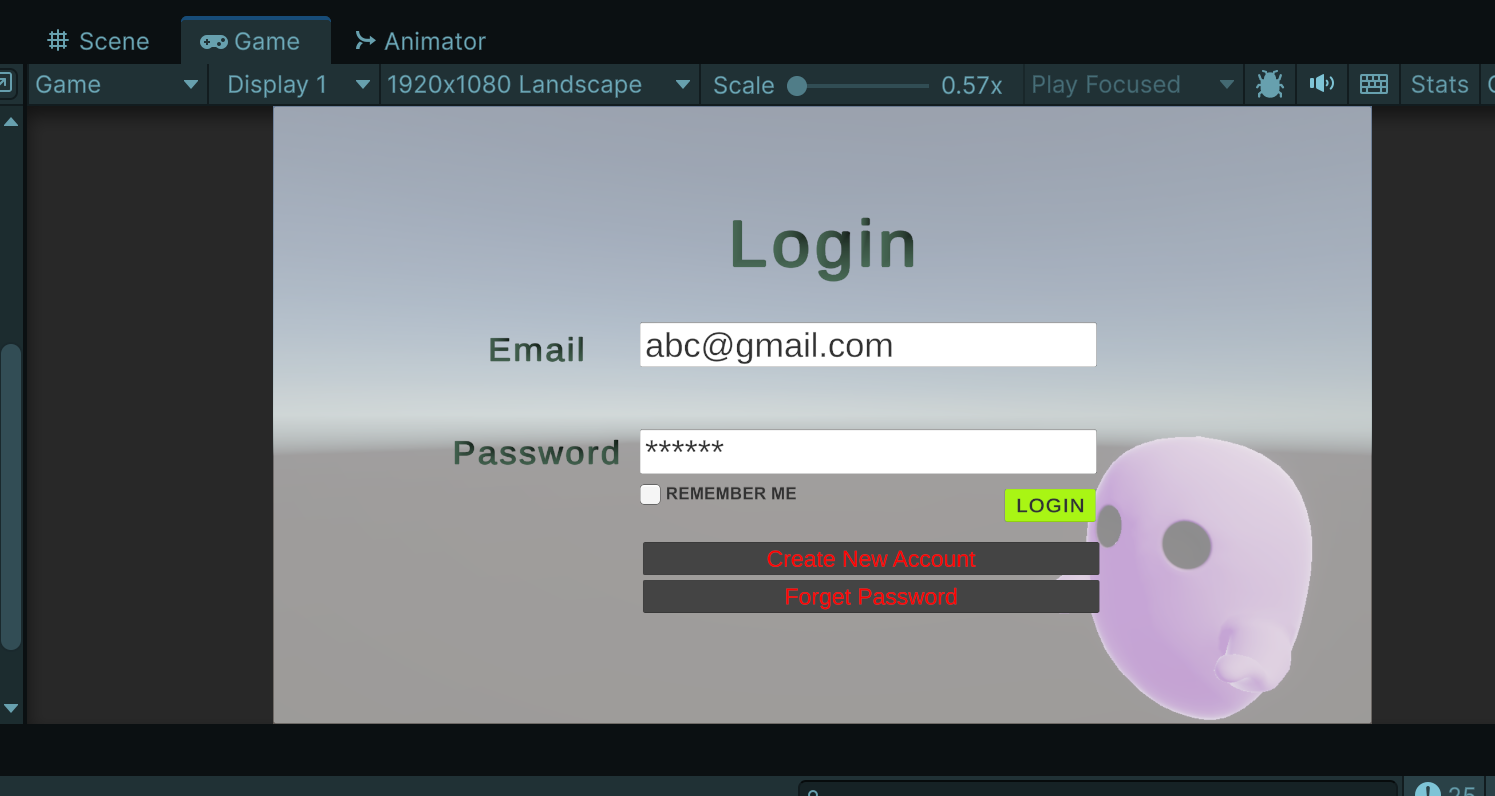
로그인
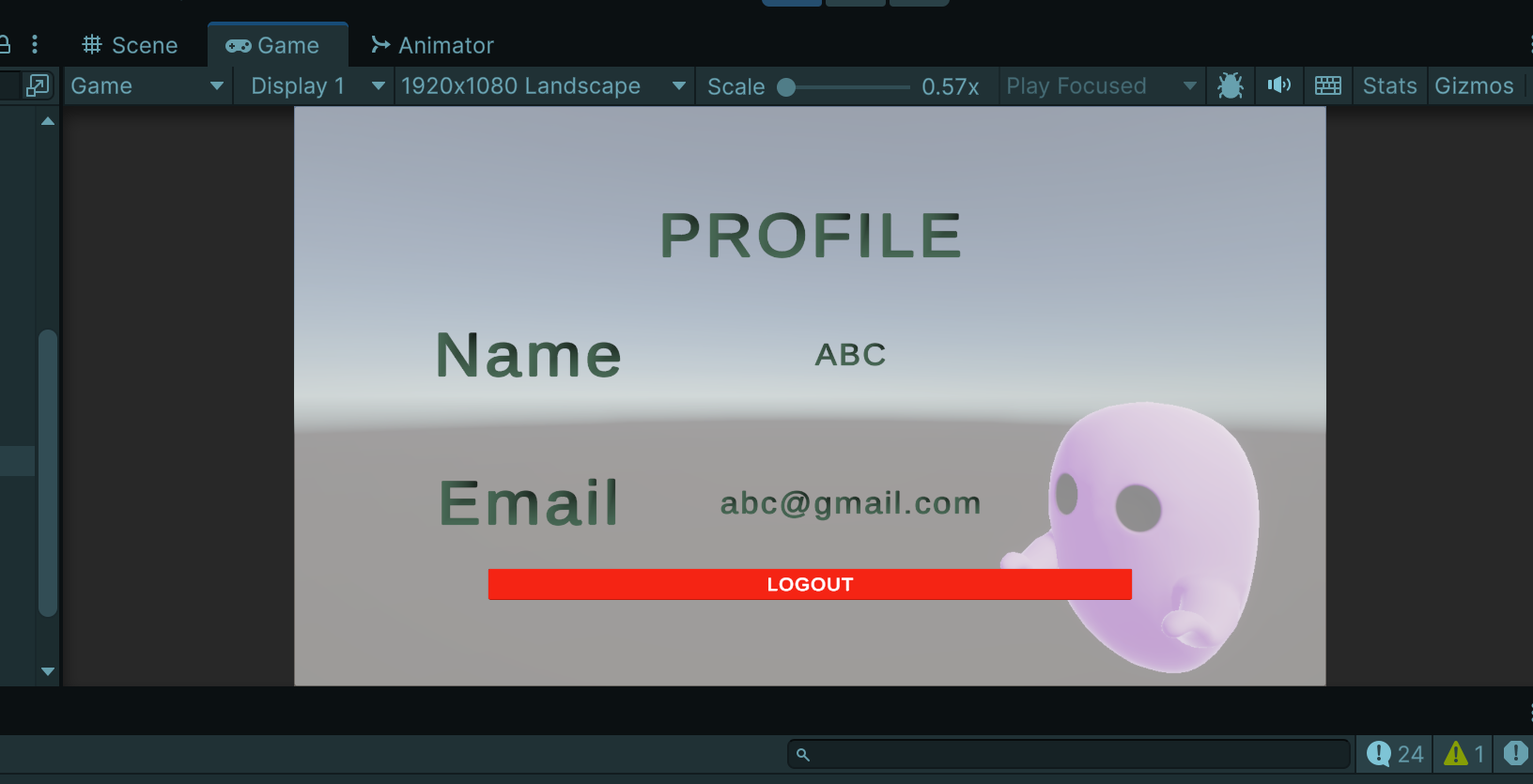
로그아웃
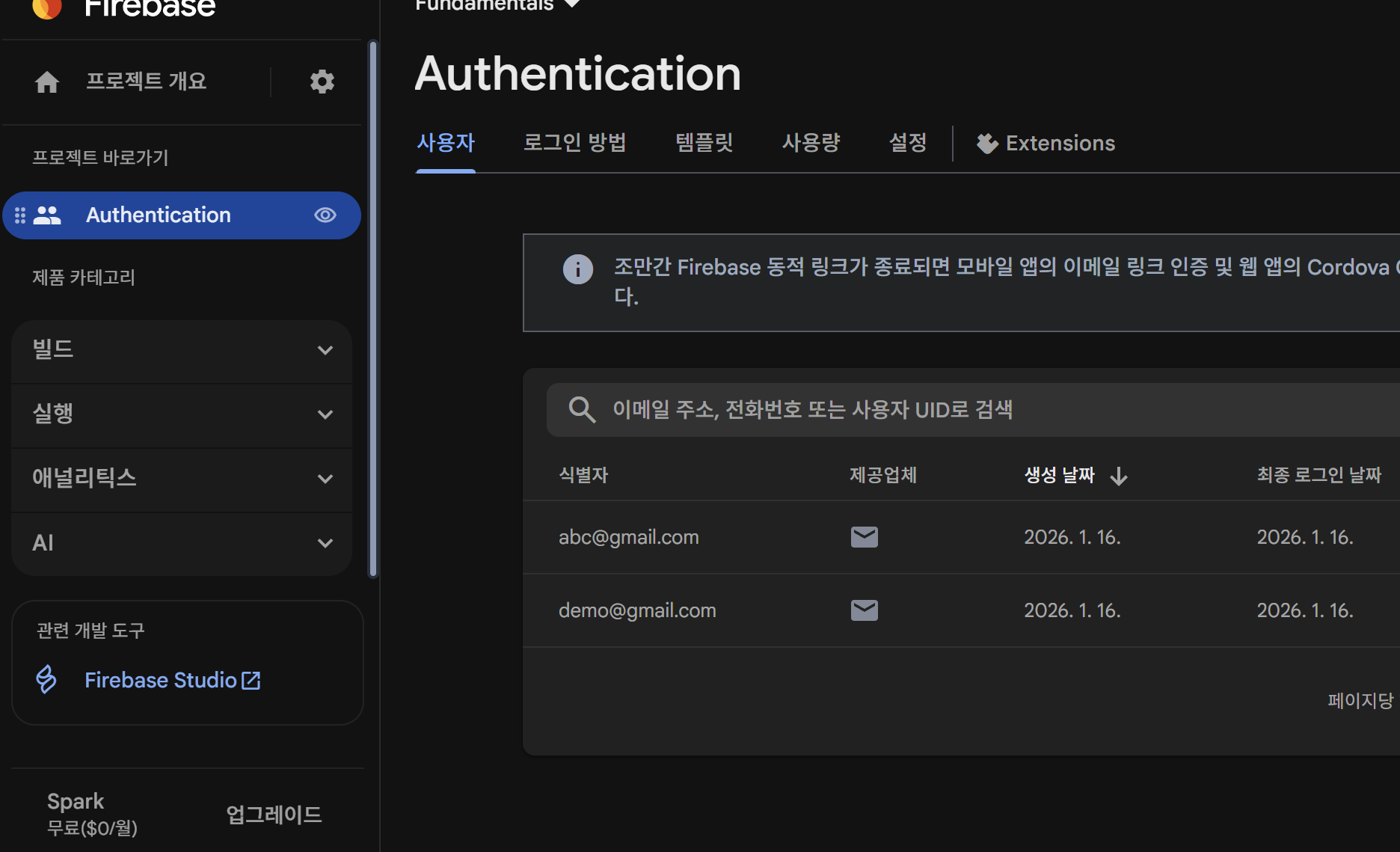
잘 들어와있는 모습이다.
반응형
'Game Engine > Unity' 카테고리의 다른 글
| [Unity] 캐릭터 Animation 리깅 (1) | 2026.02.03 |
|---|---|
| [Unity] Firebase SDK 로그인1 - SDK 추가하는 법 (0) | 2026.01.08 |
| [Unity] Unity6에서 프리팹 분홍색 모델링 해결 방법 (0) | 2025.09.30 |
| [Unity] 오브젝트 Pivot 위치 옮기는 법 (1) | 2025.07.28 |
| [Unity] UI 관련 Tip (0) | 2025.05.02 |